 DrinkChecker
 Chagok
 SameBoat
 Allong
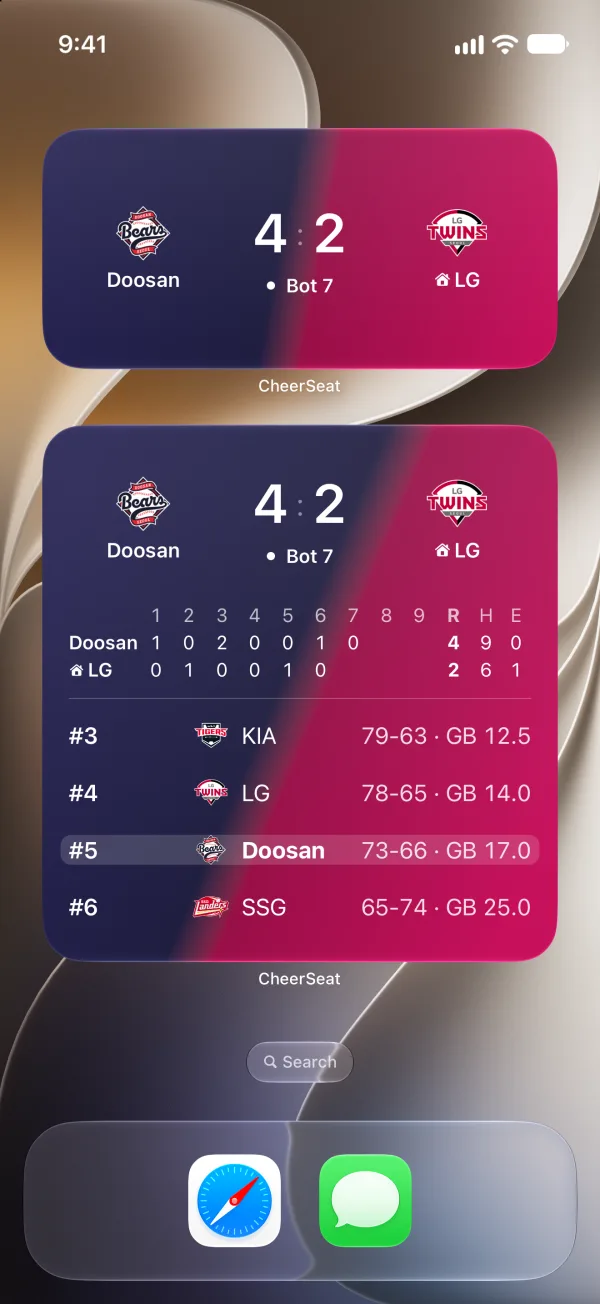
Lock Screen
The score shows up on your Lock Screen when the game starts.
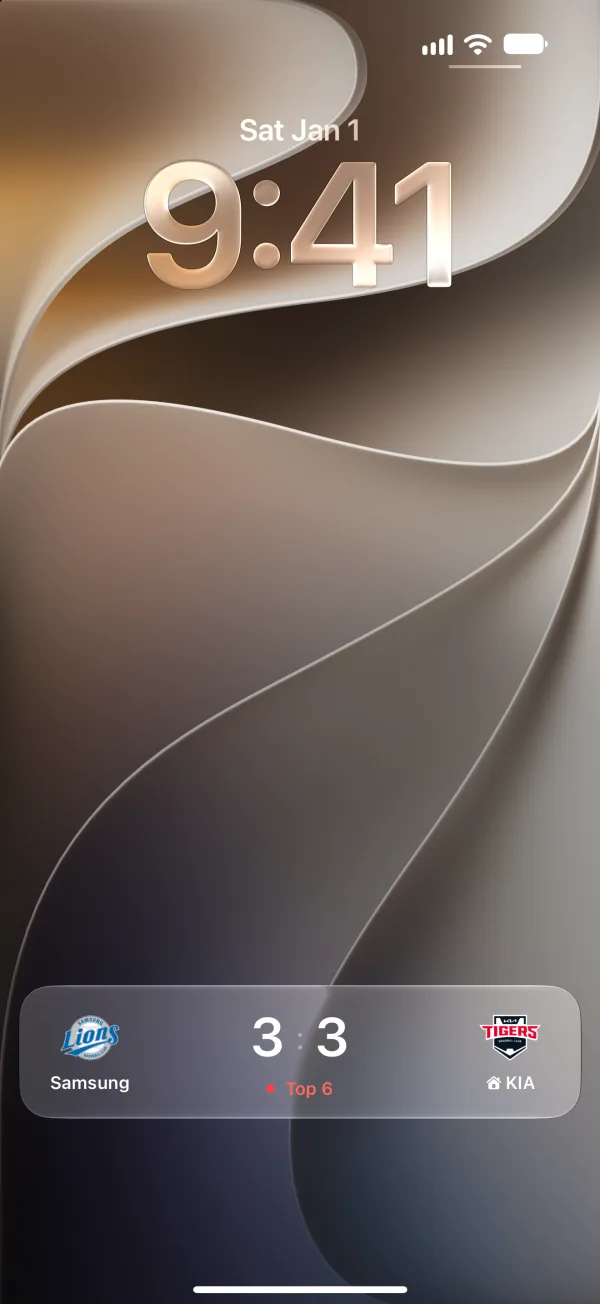
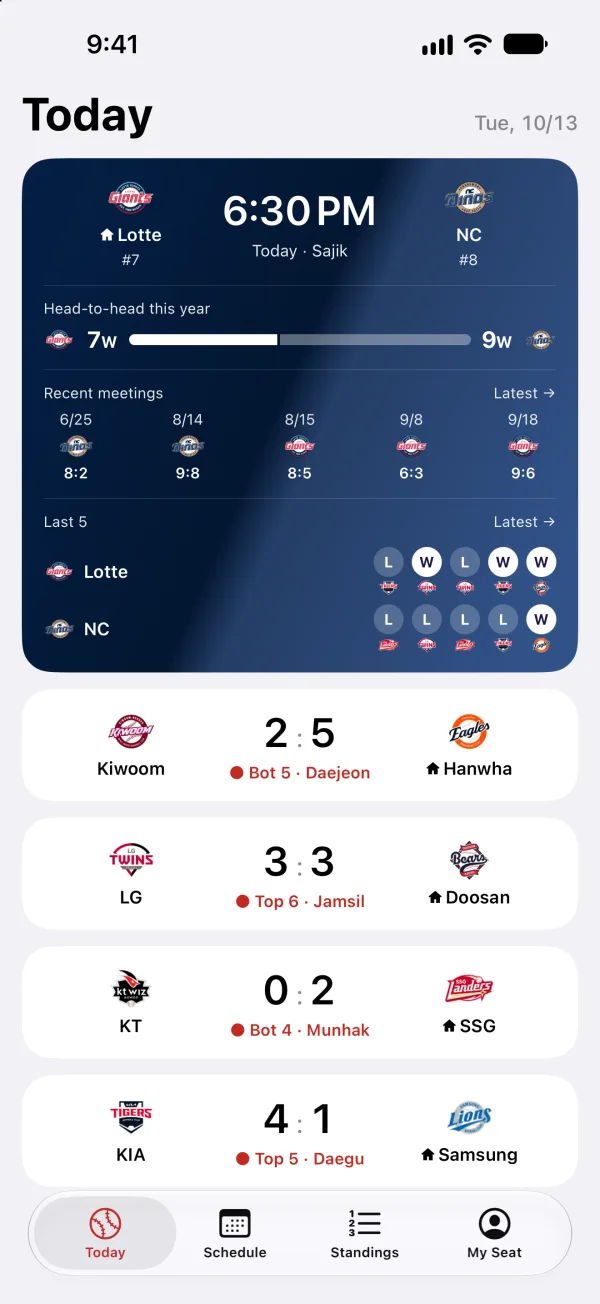
Today's games
Every game today, with your team on top.
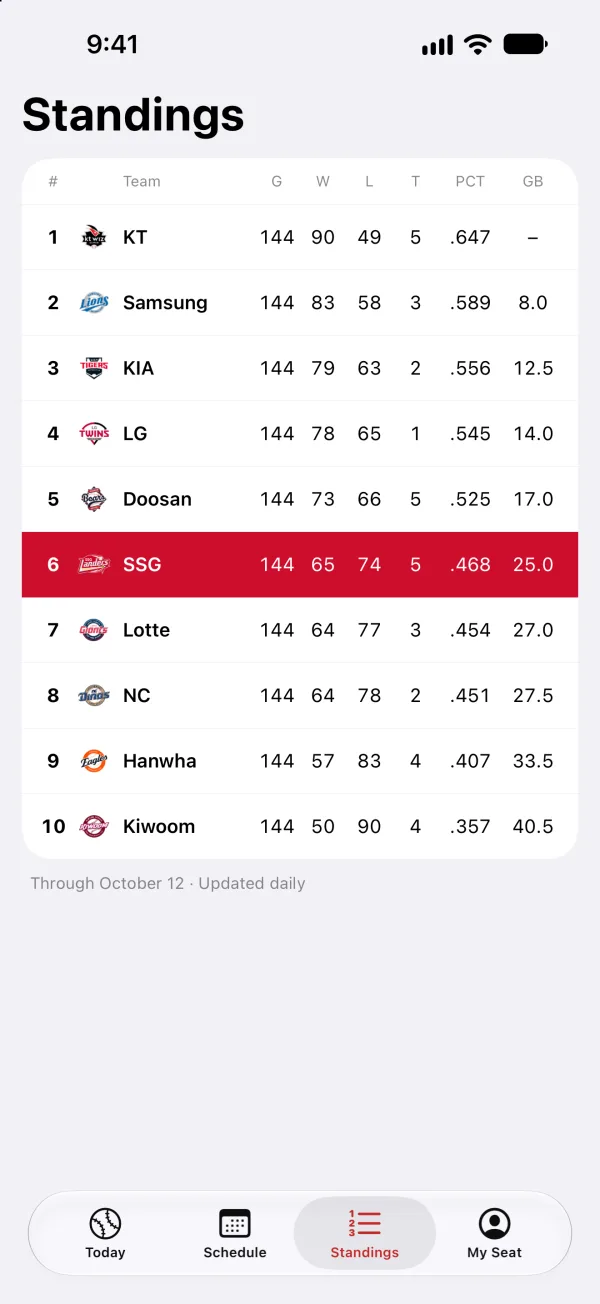
Standings
Team standings and games behind, updated every morning.
About CheerSeat
CheerSeat is a baseball score app that puts your KBO team's games on your iPhone Home Screen widget and Lock Screen. Pick your team once, and the widget switches by itself: start time and standings before the game, score and inning during it, result and next game afterwards. When a game starts, the score appears on the Lock Screen and in the Dynamic Island on its own, so you open the app less. Standings, the schedule, the postseason bracket and Korea national team games are in the same place.
FAQ
How do I put a baseball score widget on my iPhone Home Screen?
Install CheerSeat, pick your team, then touch and hold the Home Screen and add the CheerSeat widget. It comes in small, medium and large, with Standings, Team Schedule and Today's Games widgets as well.
Can I see live baseball scores on the Lock Screen?
Yes. When a game starts, the score shows up on the Lock Screen and in the Dynamic Island by itself. You can switch it on or off in My Seat.
Is CheerSeat free?
Yes, it is free and needs no sign-up.
Which leagues does it cover?
Currently the KBO League (Korean professional baseball) and Korea national team games.
How often does the score update?
It is fetched every few minutes from a public sports data service. If the data is more than 10 minutes old, the app shows how many minutes ago it was updated.
Can I see the KBO postseason bracket?
Yes. The bracket runs from the Wild Card round to the Korean Series, with a game-by-game series tracker.
What does the widget show on days without a game?
Your team's rank and games behind.
Does it work outside Korea, and on iPad?
It supports 10 languages and shows game times in your device's time zone. On iPad it installs in iPhone-app compatibility mode.